Solana Slippage Settings: Picking the Right Value
Solana slippage settings explained by scenario: pool depth, volatility, sandwich risk. Jupiter, multi-swap, and the actual numbers operators use.
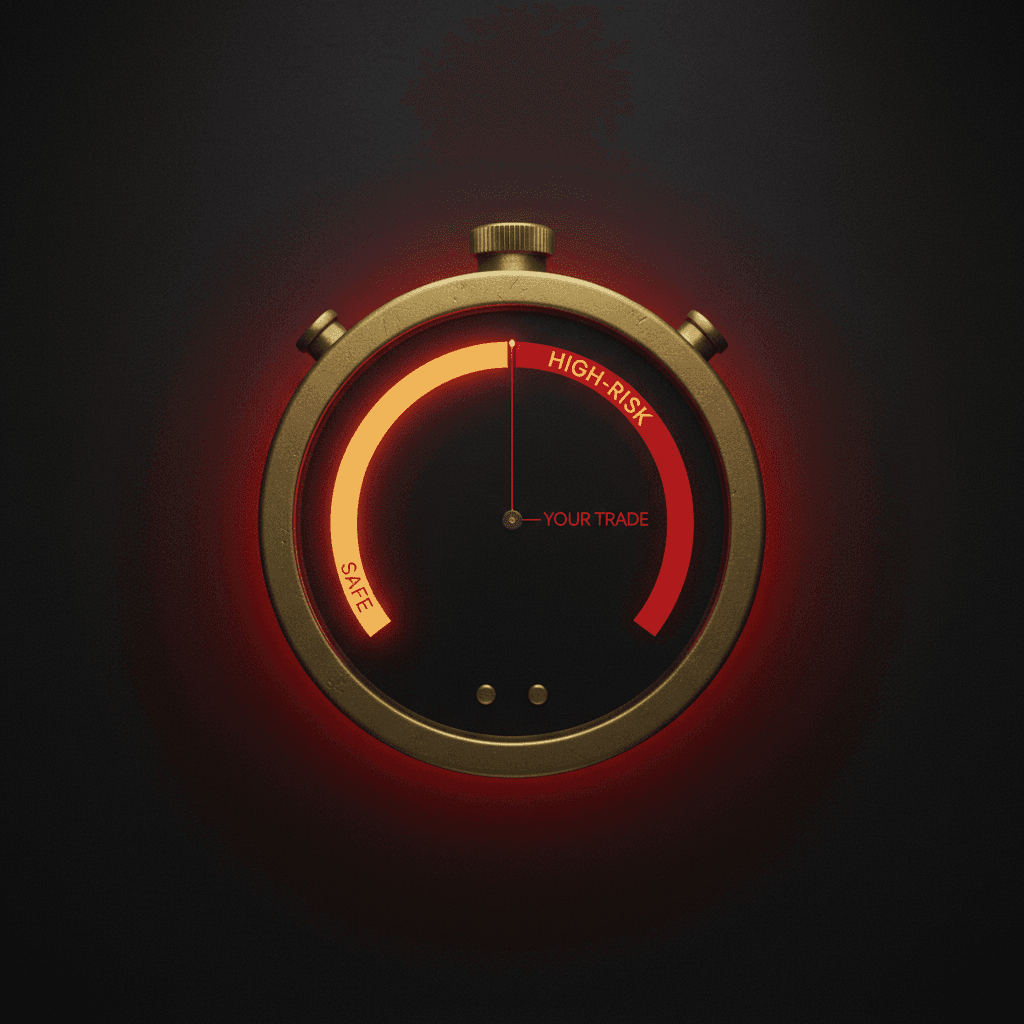
Set slippage too tight and your swap reverts on chain, costing you a small network fee for nothing. Set it too wide and a bot watching the pool sees your generosity and pockets the difference. The "Auto" option in Solana slippage settings hands the call to a UI guess that does not know your order size or the bot density on that venue.
The "0.5 percent works for everything" line you copied from a Discord message is a lazy choice outside SOL/USDC. The right value comes from three inputs: your order size relative to the pool, how volatile the token has been recently, and how much bot pressure sits on that pool.
This guide walks through what slippage actually means, which Solana slippage settings fit which kind of token, and why one cap rarely saves every wallet on the Solana multi wallet swap tool.
Slippage in one sentence
Slippage is the price flex you allow before the swap auto-cancels. Think of it like saying "I will buy bread at three dollars, but if it goes above three dollars and thirty cents, cancel the order." A tighter slippage means a stricter price limit. A looser slippage means a better chance of execution, with a higher risk of landing at a worse price.
When you swap on Jupiter, Raydium, Orca, or Meteora, this limit shows up as a percentage in the interface. You are telling the chain "if the amount of token I receive drops below this floor, cancel the whole thing." If the pool moves enough that your floor is broken, the swap reverts completely; you pay the network fee and no tokens arrive. Solana's transaction documentation states both halves of that: a transaction succeeds or reverts as a whole, and the fee is charged either way.
One detail matters: this check happens on chain, not in your wallet interface. Anything that moves the price between the moment you saw the quote and the moment the swap lands counts against your budget.
Too tight: the swap reverts
Imagine you set slippage to 0.1 percent on a fast-moving token. In the half second between quote and execution, the price drifts 0.12 percent. Your floor gets broken and the swap cancels. You still pay a small network fee and no token arrives. The real cost is not the fee; it is the missed move. If the price runs 8 percent higher in the next two minutes, you spent that window adjusting "the right" slippage value and lost the entry entirely.
Too wide: an open door for sandwich bots
Open slippage to 5 percent and send a 50 SOL USDC buy. A bot watching the pool sees your order, buys just before you to push the price up, lets your swap fill at the inflated price, then sells immediately and pockets the spread. Your swap looks successful on chain because the price never crossed your limit. The "why did I fill so badly" question gets its answer right there.
Sandwich bots actively hunt large orders with wide slippage. Sending a big trade on a deep pair like SOL/USDC with a 5 percent cap broadcasts "come collect, profit is here." Keep the cap tight on deep pools. And do not push slippage to 50 percent; that value is a "fill at any price" signal to the bots, and it is never the right answer in any real scenario.

The blind spot in the Auto setting
Jupiter's Auto mode picks a slippage value based on recent token volatility. On deep pools and stables the estimate usually lands sensibly. On a freshly migrated memecoin, Auto often jumps to a 5 to 15 percent range, even when your order's real price impact is only 2 percent. That wide cap turns you into a numerically attractive sandwich target. Operators usually beat Auto because they know two things Auto does not: their own order size and the bot density on the specific pool.
Pool depth and price impact
Stop thinking about slippage as "how much loss am I willing to accept." Ask the real question instead: "how much will my own order move the price on this pool?" If your buy is 1 percent of the money sitting in the pool, price impact stays small and your cap can stay tight. If your buy is 10 percent of the pool, the automatic price curve will push price at least 10 percent up from your order alone; the cap has to cover that or the swap reverts.
Interfaces show "price impact" and "slippage tolerance" as separate values. Slippage should always sit a touch above price impact: the impact plus a small safety pad. Before a large order, glancing at pool depth and holder spread with the Solana token snapshot tool beats picking a slippage by feel. You are swapping against the same pools that the Solana liquidity add and remove tool interacts with; depth is the live state of that pool right now.
A worked example you can copy
Take two trades on the same day. The first is a 200 dollar USDC to USDT swap. The pool is huge and stable. You set slippage at 1 percent and the swap lands cleanly; the actual price difference was around 0.05 percent and your buffer ate the rest. The second trade is the same 1 percent slippage on a fresh memecoin from a thin pool.
The price moves 5 percent between your quote and the swap, your floor breaks, the swap cancels. Same percentage, two completely different outcomes. On the memecoin you needed a 10 percent cap to get the entry through. And going to 50 percent on that memecoin would have been a giveaway to the sandwich bot; even fresh memecoins do not need that much room.
Solana slippage settings by scenario
The values below are operator opinion, not a protocol rule. Always check price impact alongside them.
| Scenario | Suggested slippage | Why |
|---|---|---|
| Stable to stable (USDC ↔ USDT) | 0.1% - 0.3% | Very deep pool, almost no volatility. Anything more is wasted room. |
| SOL / USDC, small to mid size | 0.5% - 1% | Deep pool, higher volatility than stables. Sandwich pressure is real; keep the cap narrow. |
| SOL / mid-size token (e.g. JTO) | 1% - 2% | Reasonable liquidity, prices move. A stable-style cap will usually fail. |
| SOL / established meme (BONK, WIF) | 2% - 5% | High volatility, medium depth. Set the cap as price impact plus a pad. |
| SOL / fresh post-Pump.fun meme | 5% - 15% | Very thin pool, big swings per minute. Sandwich risk gets accepted; the alternative is a chain of reverts. |
For a single-wallet entry the Solana single wallet swap tool exposes the slippage field directly; type the value in by hand and skip Auto. If your path includes a wSOL leg, the Solana wSOL wrapper tool handles the wrap before the swap so you end up with one clean slippage check instead of two. To buy the same token across many wallets in the same block, the Solana bundled trade tool packs the orders into a single bundle and shrinks the window a front-running bot can exploit.
Read slippage and price impact together. Slippage equals price impact plus a small pad works as a rule of thumb. The pad scales with the venue: 0.1 to 0.2 percent on deep SOL/USDC is fine, while 2 to 5 percent may be needed on a fresh memecoin.
Multi-swap: one cap, many wallets
Picture a launch where 200 wallets aim at the same token. The Solana multi wallet swap orchestrator takes a single slippage cap and applies it to every wallet in the run. The trap: the pool shifts between wallet number one and wallet number two hundred. Set the cap tight enough for wallet one to fill cleanly and wallet two hundred reverts. Set it wide enough to save wallet two hundred and you hand a sandwich opportunity to the bot waiting on wallet one.
A practical move: design the cap around the worst-case wallet at the end of the run and accept that early wallets pay a small premium. A second option: split the run into 2 or 3 batches and reset the cap per batch using the live pool state. If you already split your wallet group into batches, lining up the slippage cap with the same batch boundary is the natural step.
The "0.5 percent works for everything" trap
"0.5 percent works every time" floats around Discord constantly. The only scenario where it actually holds: an average-size SOL/USDC swap, a deep pool, an MEV-protected route. Outside that, the rule fails almost everywhere. On a memecoin, 0.5 percent reverts. On a 100K USDC buy, 0.5 percent is an open invitation for a sandwich; the price impact of the order alone may already exceed 0.5 percent. On a multi-wallet run, 0.5 percent reverts half the late wallets.
Three questions to ask before each trade: how much of the pool am I taking, what is the bot pressure on this pool, how many wallets am I running. Set the value off those answers. For more operator notes, browse the j.tools guides category posts and the Solana tagged posts page.
Slippage is not a single correct number. It is a decision recomputed for every trade. The day you glue yourself to a single default is the day you spend either in the waiting room or standing in a bot's queue.
Slippage by route: Jupiter, Raydium and Pump.fun
The same token can need three different slippage numbers depending on where the order actually fills. Each route sets the price with different machinery, so a value that is sensible on one is reckless on another. The figures below are operator starting points rather than protocol rules, and every interface shows a live price impact next to your order. Read that number before you sign.
| Route | How the price is set | Starting slippage | Rough impact on a 5 SOL buy | Watch for |
|---|---|---|---|---|
| Raydium or another AMM pool | The ratio of the two reserves (x times y equals k) | 0.5% to 1% on a deep pool, 3% to 8% on a thin one | About 1% if the SOL side holds roughly 500 SOL, about 8% if it holds roughly 60 | An order that is a large share of the pool moves the price on its own |
| Jupiter router | Splits the order across several pools | 0.3% to 1% on most mid-size orders | Split across three pools, total impact can fall to around 0.5% | If the route shifts at the last moment the estimate drifts, so do not set the tolerance to zero |
| Pump.fun bonding curve | A curve where every buy pushes the next price up | 5% to 15% | On a fresh curve, 5 SOL can move it roughly 8% to 12% | Buys ahead of you in the same block have already walked the curve up |
Work one example the whole way through. You are buying the same token with 5 SOL. Through a deep Raydium pool the fill lands close to the quote and 1% is comfortable. Through Jupiter the order gets split, the quoted impact drops, and a tighter 0.5% still fills.
On a coin still trading on its bonding curve, that same 5 SOL walks the price up by itself, so anything much tighter than the curve's own impact will often just revert. Once a coin graduates it moves to a normal pool, which is why the route matters more than the token, and how graduated coins trade on PumpSwap covers that handover. To judge depth before you commit, read the pool itself with the liquidity position tool.
None of these numbers is a promise, and a correct setting still cannot rescue a thin or brand-new pool. Treat the table as a starting point: identify the route, work out what share of the pool your order takes, then tighten or widen from there.
What is slippage in crypto?
Slippage in crypto is the gap between the price you saw when you signed a trade and the price you actually got when it settled. On an automated market maker like the Solana pools behind Jupiter, Raydium, Orca, and Meteora, the quote is a snapshot. The pool keeps moving while your transaction waits to land, so the fill can come in a little better or a little worse than the number on screen.
Slippage tolerance is the cap you set on that gap. It is the most you will accept losing to price movement before the swap cancels itself on chain. A 1 percent tolerance says "fill me as long as I get at least 99 percent of the quoted amount, otherwise revert." That single percentage is the whole knob this guide is about.
Slippage vs price impact
These two get treated as the same thing in search and in chat, and they are not. They answer different questions.
- Price impact is what your own order does to the pool. Buy a big chunk relative to the liquidity sitting there and you push the price up as you fill. It is a property of your trade size against pool depth, and it is predictable before you sign.
- Slippage is the buffer you allow for everything outside your control between quote and execution: other traders, bot activity, and normal volatility while your transaction is in flight.
The clean way to read them: slippage should sit a touch above price impact. If the interface shows 2 percent impact on your order, a 0.5 percent cap guarantees a revert before the trade even reaches the bot layer. The cap has to cover the impact your order already creates, plus a small pad for the movement you cannot see coming.
Rule of thumb: slippage = price impact + a small pad. The pad is tiny on deep SOL/USDC pairs and grows on thin memecoin pools where each block can swing the price.
Slippage tolerance exceeded in Phantom: what it means
When Phantom (or any wallet) throws "slippage tolerance exceeded," the price moved past your floor between the quote and the moment the transaction simulated or landed. The swap is doing exactly what you told it to: protect you from a worse fill by cancelling. It is a guardrail firing, not a bug.
Three things cause it most often:
- A thin or fast pool. Fresh post-launch tokens move several percent per block. A stable-style cap simply cannot keep up, so the floor breaks before the trade settles.
- A stale quote. If you sat on the confirmation screen for a few seconds, the pool moved on without you. Refresh the quote and sign promptly.
- Not enough SOL for fees. A separate but easy-to-confuse failure. If the wallet cannot cover the network fee plus the platform fee, the transaction fails at simulation, which Phantom can surface as a generic warning rather than a slippage message. j.tools tools that charge a fixed fee show the current amount on the tool page and gate the button when your balance is short, so you see the reason before you click instead of guessing at a red banner.
The fix for genuine slippage reverts is rarely "set it to 50 percent." Raise the cap one band at a time to match the pool, refresh the quote, and for entries that have to clear in one block, atomic execution narrows the window the price can move in. The Solana bundled trade tool packs the order so it lands in a single bundle, which shrinks the gap between quote and fill that triggers most "exceeded" errors. For the front-running side of this same problem, see our note on MEV sandwich protection.
Solana slippage settings FAQ
Should slippage be 1% or 5%?
It depends on the pool, not on a rule. On a deep, high-volume pair, 0.5% to 1% fills and still protects you from a bad price. On a fresh, thin or bonding-curve token, 1% keeps reverting, and 3% to 5% is the realistic range. If a trade only goes through above 5%, the pool is very thin; shrink the order instead of widening the cap.
Is auto slippage safe?
For ordinary trades on deep pools it usually picks a sensible value. The risk sits on volatile or thin tokens, where Auto can open the cap far wider than your order's real price impact and make you an easy sandwich target. When you buy a new token or trade a large size, type the number in yourself.
How should slippage be set for a multi-wallet run?
One cap applies to every wallet, but the price drifts as the wallets fill in sequence, so the last wallet sees the worst price. Size the cap for that last wallet, or split the run into two or three batches and reset the cap from the live pool each time. Packing the buys into one bundle with the bundled trade tool for multi-wallet buys narrows the drift further.