Create, manage, trade
All Solana tools in one place.
Which tool do you need?
How it works?
Connect your wallet
In seconds, with Phantom or your wallet.
Pick a tool, set it up
Open the tool you need and enter the details.
Approve and run
Sign in your wallet; the rest is automatic.
Featured tools
Wallet Scope
Bulk-analyze wallets: balances, trades and PnL, with their links drawn on the J Map.
OpenToken Creator
Create an SPL token in minutes; mint, freeze and metadata stay in your control.
OpenPump.fun Create + Bundle Buy
Launch a token and place the first buys in one atomic Jito bundle.
OpenHolder Snapshot
See holder distribution and concentration at a glance.
OpenJ Tools
@Jtools_Official

Solana Holder Booster Tutorial: Increase Token Holders (Pump.fun, PumpSwap & Raydium)

Your Pump.fun Coin's Biggest Holder Isn't a Person 😳

Meet Jai: Your 24/7 J Tools Assistant for Solana

J Tools | No Code Solana Platform Canlı Yayını

Dogwifhat: A Dog in a Hat Was Worth Almost $5 Billion 😳

Solana Maker Bot Tutorial: More Makers on DexScreener (Pump.fun, Raydium & More)

Pump.fun Mayhem Mode: -87% in 30 Seconds 😳

Solana Bump Bot Tutorial: Bump Your Token on Pump.fun, Raydium & More
J Tools works directly with Solana's leading protocols.
 Jupiter
 DexScreener
 Solscan
 Solflare
 Orca
Orca Meteora
 Solana
 Raydium
 Pump.fun
 StonkFun
 BonkFun
 Jito
Jito Helius
 QuickNodeJupiterDexScreenerSolscanSolflareOrcaMeteoraSolanaRaydiumPump.funStonkFunBonkFunJitoHeliusQuickNodeSolflareOrcaMeteoraSolanaRaydiumPump.funStonkFunBonkFunJitoHeliusQuickNodeJupiterDexScreenerSolscanSolflareOrcaMeteoraSolanaRaydiumPump.funStonkFunBonkFunJitoHeliusQuickNodeJupiterDexScreenerSolscan
Blog
Latest posts
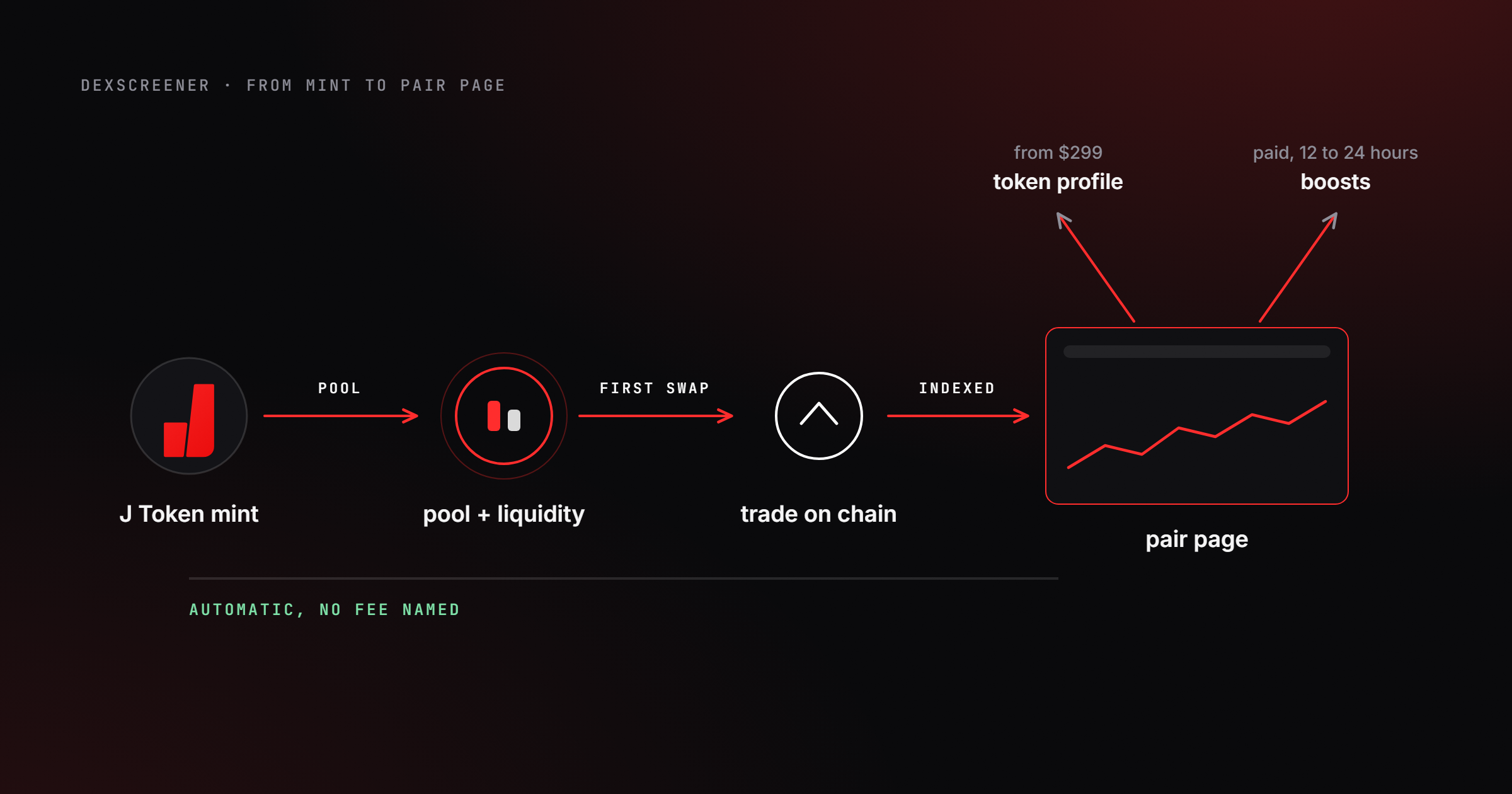
Guides
How to Get Listed on DexScreener: A Solana Creator's Guide
Oct 7 · 9 min read
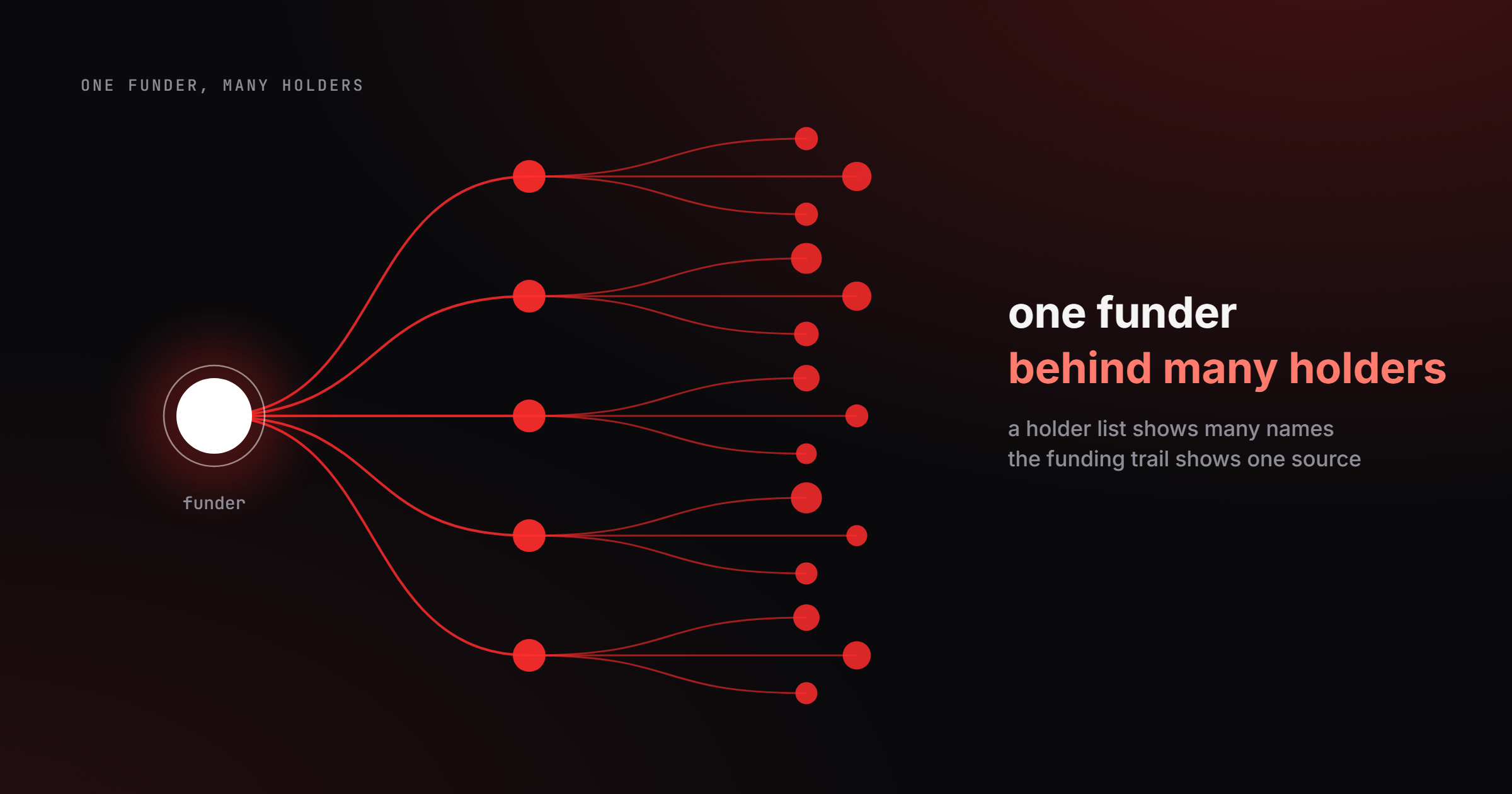
Guides
Solana Wallet Cluster: How to Find Linked Wallets
Oct 4 · 8 min read
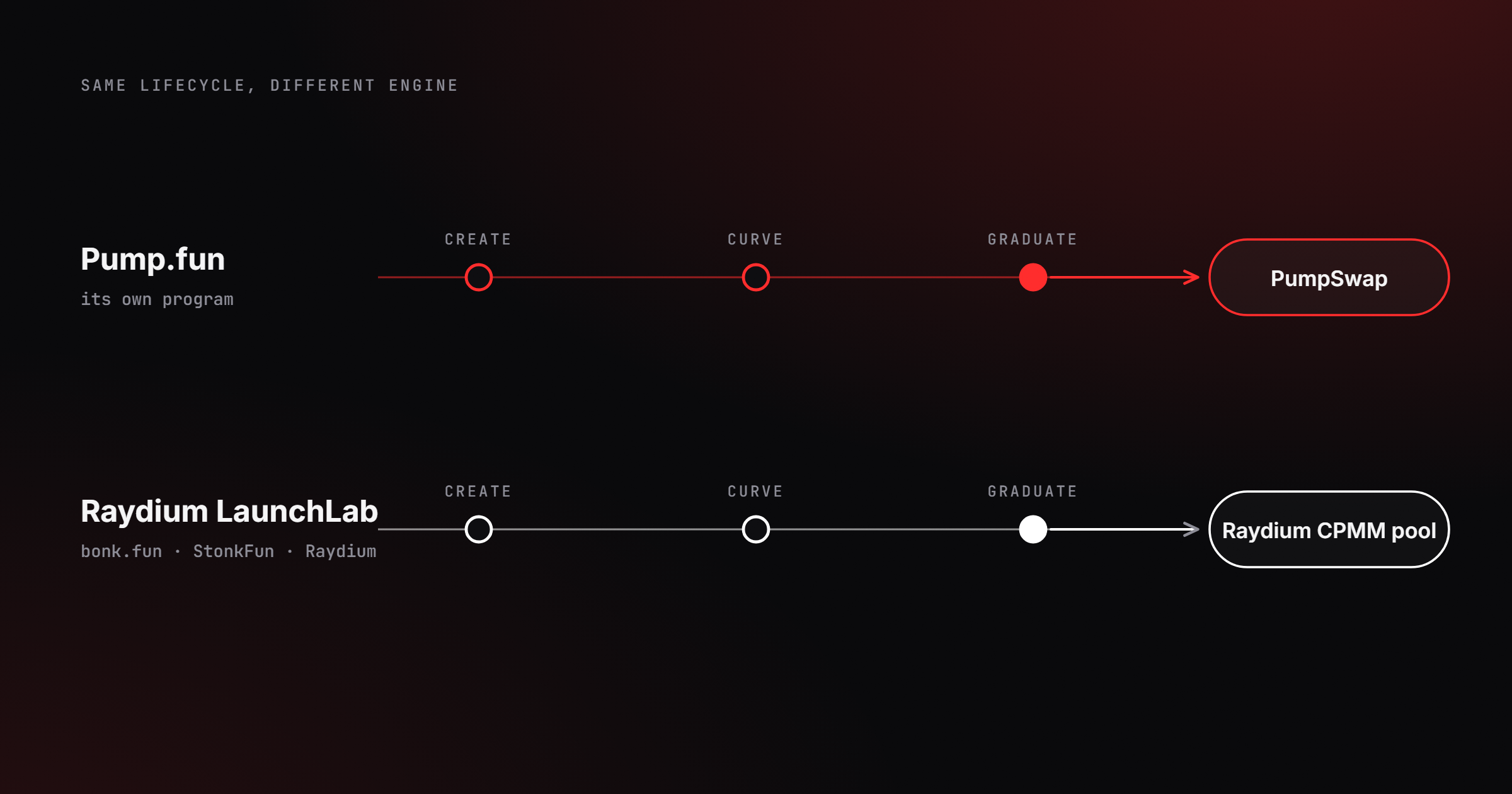
Guides
What Is Raydium LaunchLab? How It Differs From Pump.fun
Oct 4 · 9 min read
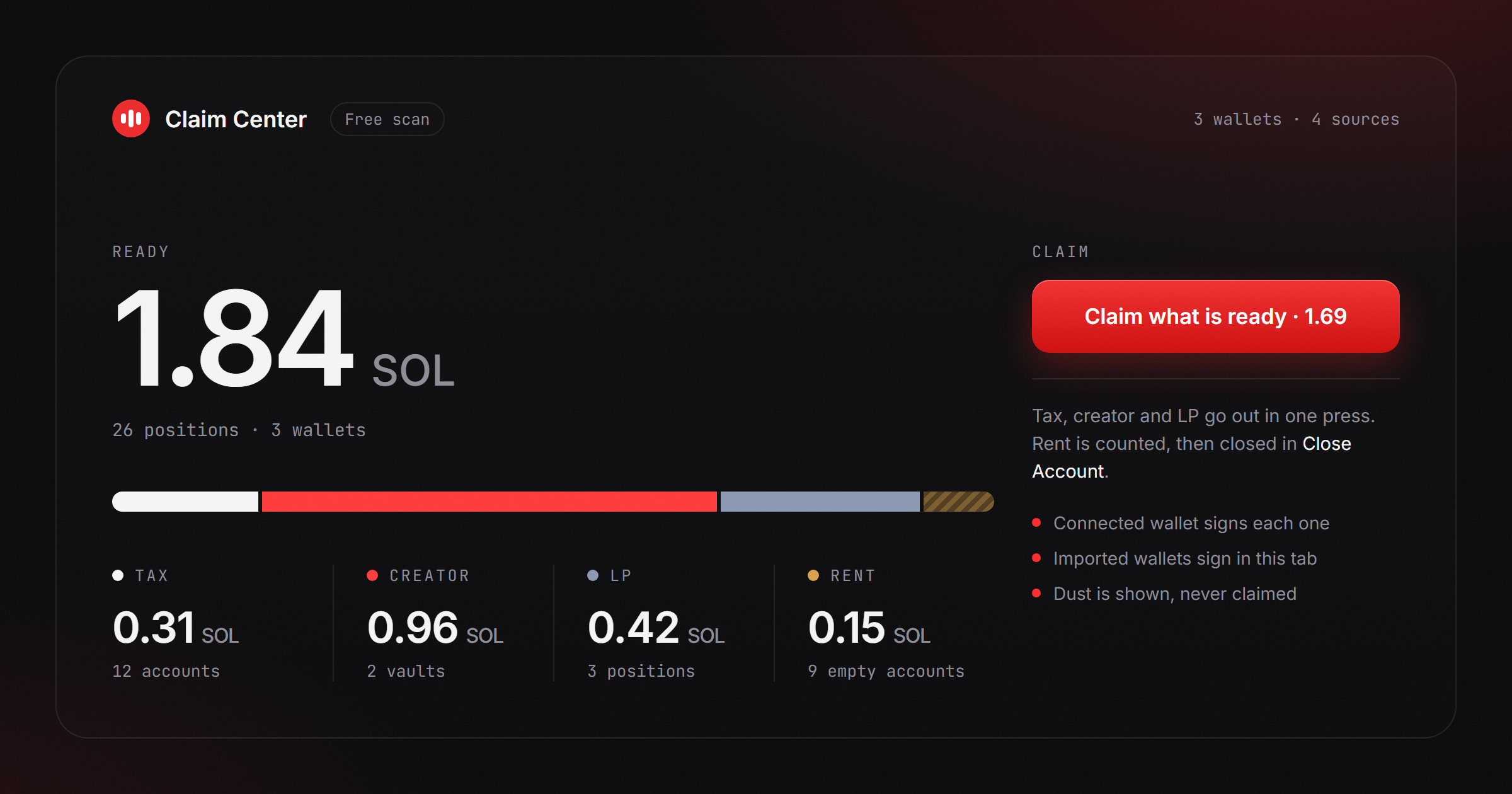
Guides
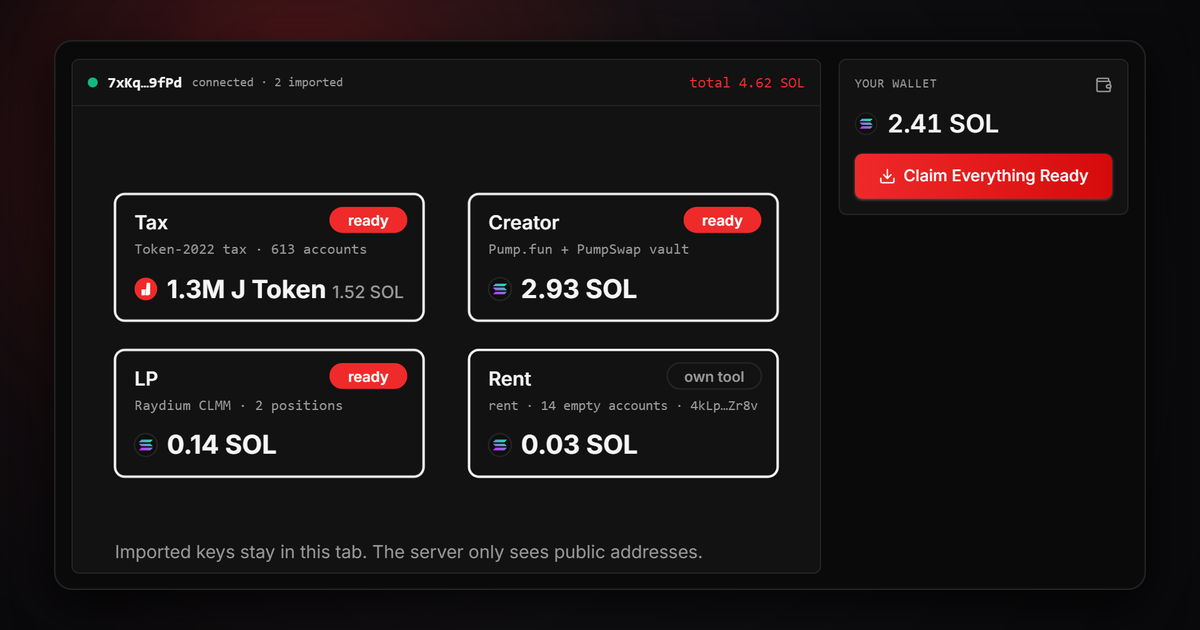
Claim Fees on Solana: Creator, LP, Tax and Rent in One Place
Oct 3 · 8 min read
Guides
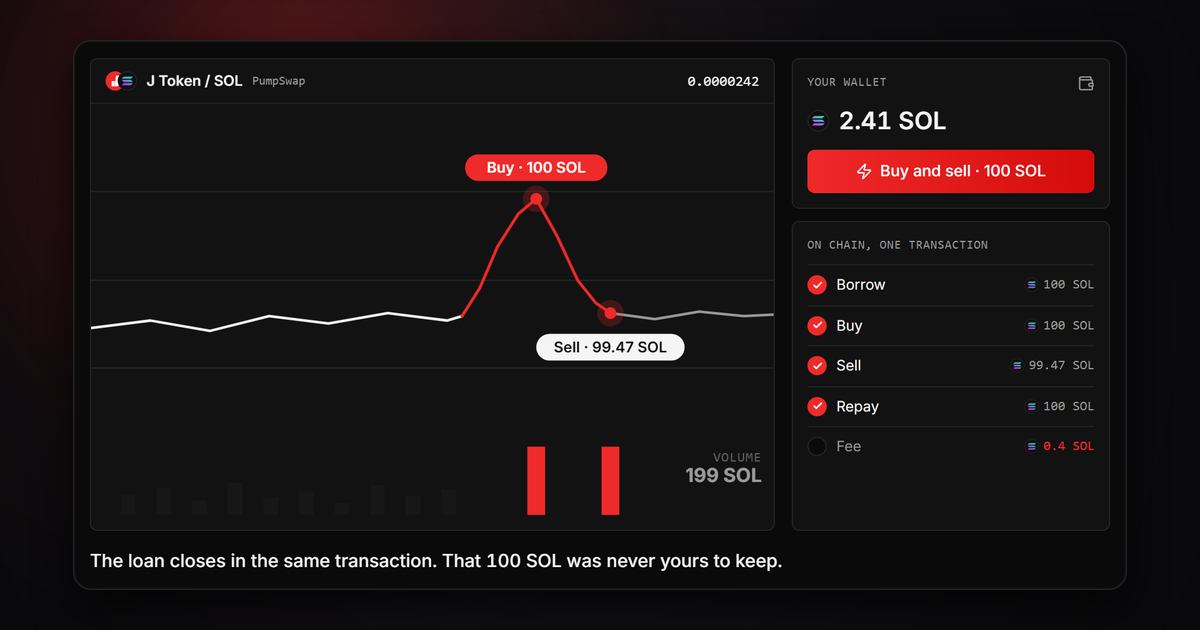
What Is a Solana Flash Loan? How It Works
Sep 23 · 8 min read
Guides
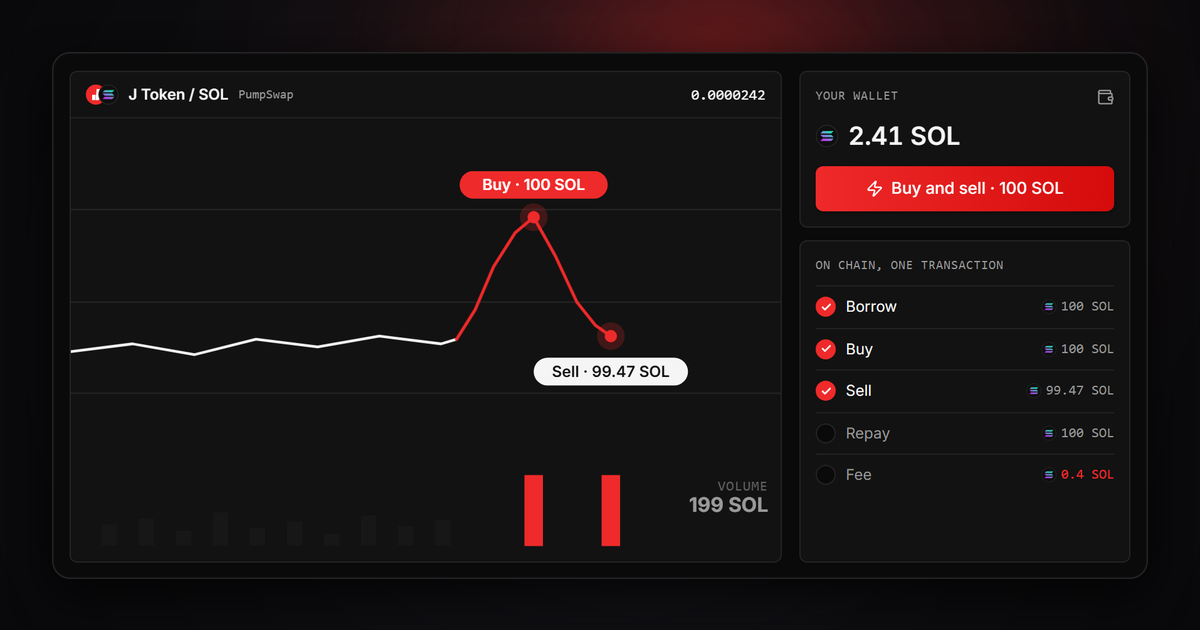
Increase Token Volume on Solana Without Holding the SOL
Sep 23 · 8 min read
Guides
What to Do After Launching a Token: A Solana Checklist
Sep 23 · 9 min read
Guides
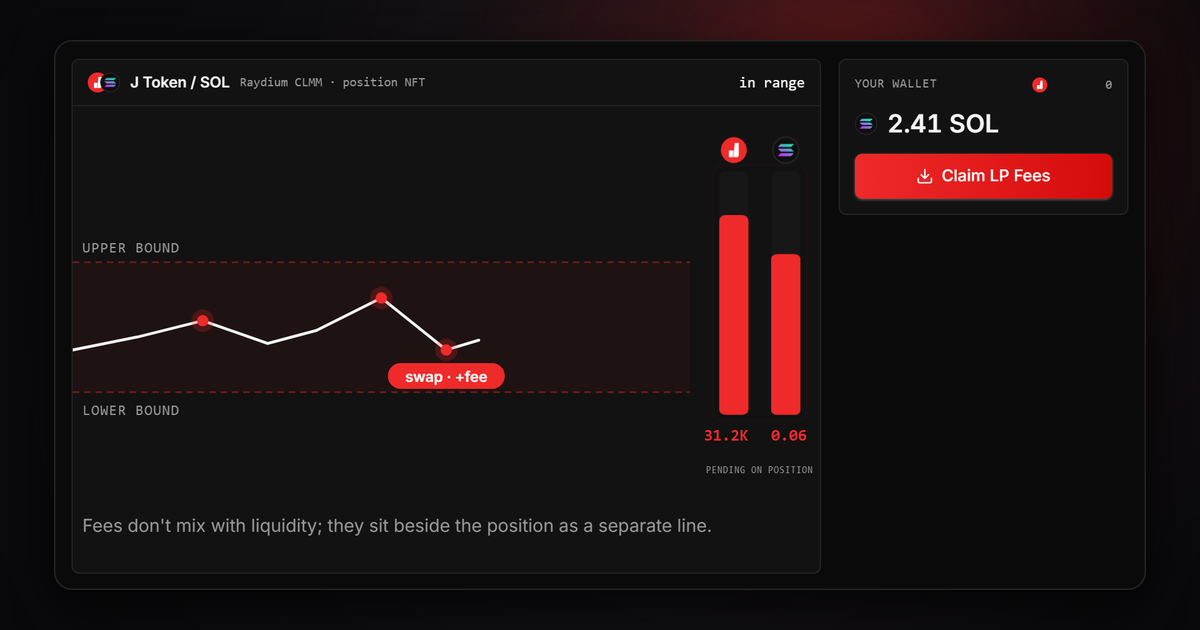
Where Do LP Fees Go? Pools vs Concentrated Liquidity
Sep 23 · 9 min read
Guides
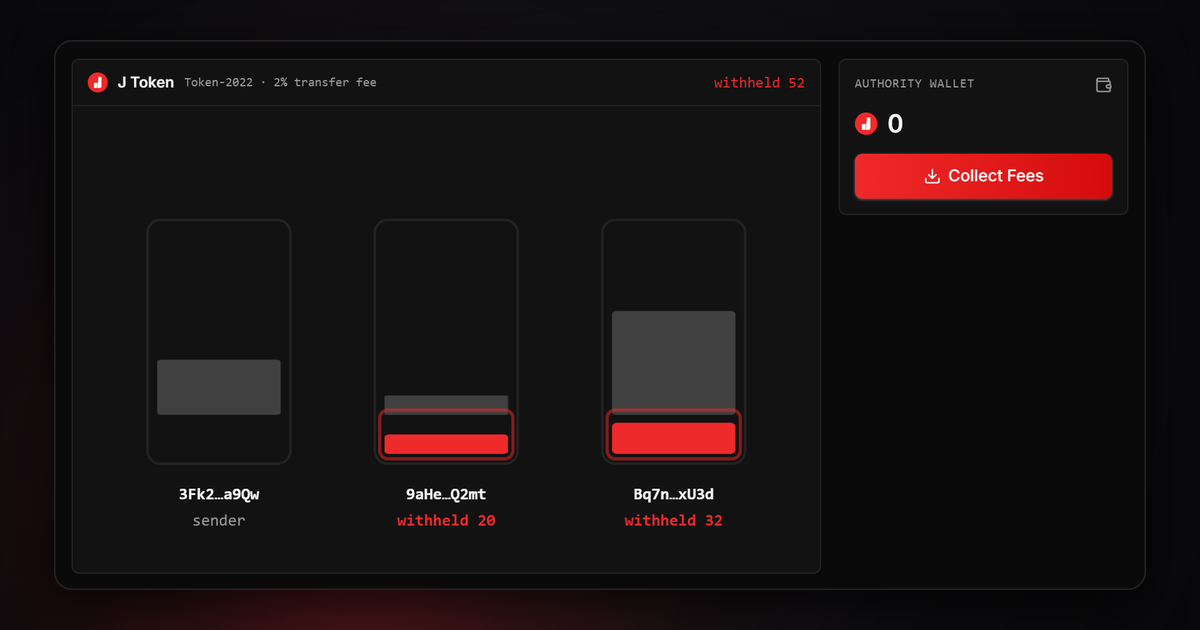
What Is a Solana Tax Token? Token-2022 Transfer Fees
Sep 23 · 8 min read
FAQ
Frequently Asked Questions
Connect your wallet, enter the name, symbol and supply, then add a logo and social links if you want. Token Creator mints it in a couple of minutes and you don't write any code. Standard SPL and Token-2022 options are both supported.
Each tool has a flat fee and you see the exact amount before you sign, with no hidden cuts. The fee is collected on-chain, on top of Solana's own network gas and, where needed, account rent (ATA).
Your keys stay with you. JTools is non-custodial: it never asks for, sees or stores your private key. Every transaction is signed by your own wallet (Phantom, Solflare and others) in your browser, and we only prepare the transaction for you.
Yes. Multi Swap lets you buy or sell from dozens of wallets in one run, and each wallet signs its own transaction. Direct DEX routes (the Pump.fun curve, PumpSwap, Raydium, Orca and Meteora) are supported.
Yes. Holder Snapshot pulls any token's holders, balances and concentration, and you can export the list. For links between wallets, the Wallet Scope map shows the transfer graph too.
Start with Token Creator if you need a new token. Start with Swap if you want to trade immediately. Start with Create LP if liquidity is your next step.
Yes. j.tools also connects users to supporting updates and public channels beyond the core tool workflows.
Yes. J Tools is built around non-custodial workflow patterns, so wallet approval remains under your control during execution.
All three are the same. J Tools is also written JTools, and the website is j.tools. It is a no-code toolkit for creating and managing Solana tokens. J Tools is not related to other products that use the JTools name.
Start managing your Solana work from one place.
90 tools in one workspace. Connect your wallet and you're set.