Flash Volume
Trade with money you do not have. Pay only the trade price.
Token
Pool, picked for you
Trade size
Connect your wallet in the top bar to see the price. It is measured for the wallet that signs the trade.
About this tool
New Era of Solana Volume Bots: Trade SOL You Don't Have
Chapters
10 · 2:52What Flash Volume does
What it does
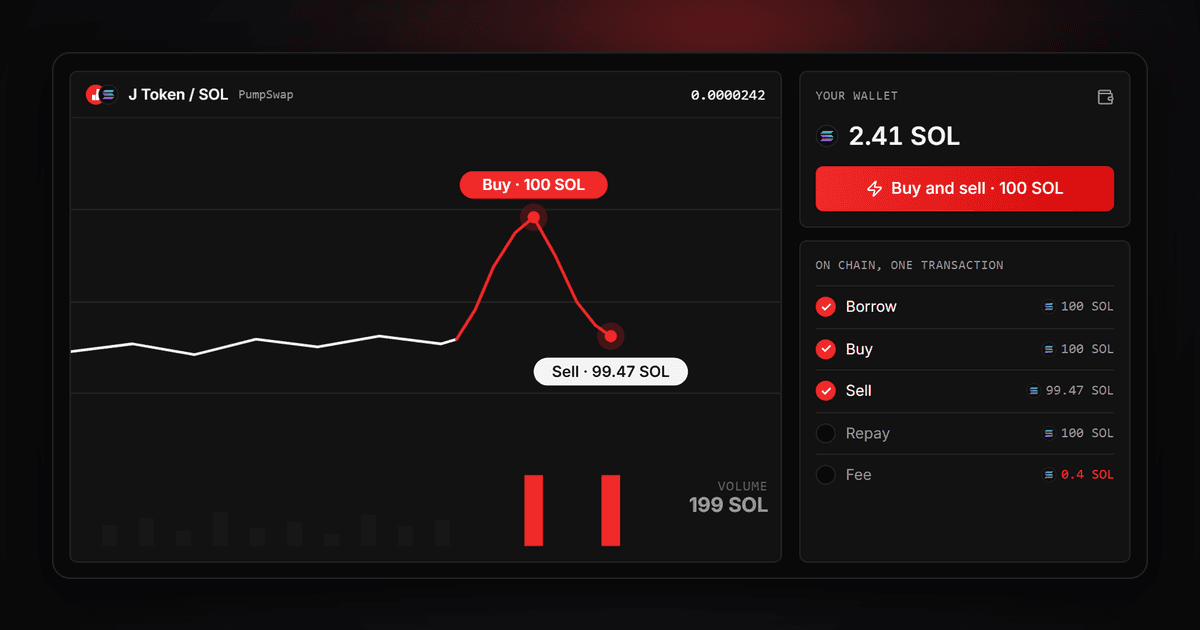
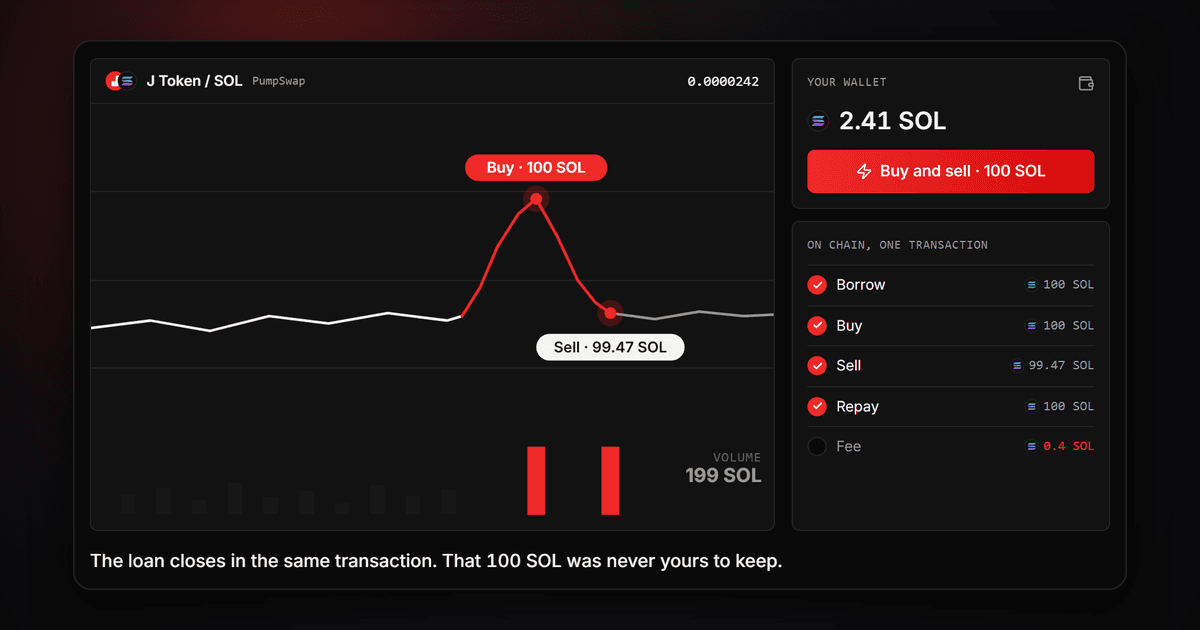
Flash Volume makes trading volume on a Solana token with SOL you do not hold, in two ways. The Auto bot trades for you from a bot wallet of its own, again and again, at the size and pace you set, until it reaches your target or you stop it. A Single trade is one buy and one sell that you sign yourself. Every trade borrows its size inside one transaction, buys and sells in the same pool and repays the loan before the transaction ends, so only the cost of the round trip is spent.
How the Auto bot works
Load the bot wallet with a little SOL, set the trade size, the time between trades and when to stop, then press Start bot. The bot builds every trade, sends it and checks it on the chain. On a pool that has no lookup table of its own yet, the first start sets one up from the bot wallet, so no manual trade is needed first. Each trade shows up on the chart and in the trade log as it lands, and Stop ends the run whenever you want.
Why use it
Volume that normally takes a large balance takes a small one here, and the bot keeps it going while you are away. The pace is kept to the second. Each trade can come from a new wallet, so DexScreener counts a new maker every time, and whatever stays in the bot wallet can be withdrawn to your own wallet whenever the bot is stopped.
Key features
- An Auto bot that trades for you. Load a bot wallet once and it keeps trading at your size and pace while you are away.
- A fixed size or a range. Every trade can pick a new size between your two numbers, with a recommended band read from the pool's depth.
- Pace kept to the second. Choose one wait or a range from 3 seconds to 24 hours, and every gap between two trades stays inside it.
- A new maker per trade. New wallet for every trade sends each trade from a wallet of its own and brings every lamport back right after.
- Stops on your terms. At a volume target, after a time limit or when you press Stop, and by itself if the bot wallet cannot pay for the next trade or the pool gets too expensive.
- Live chart and trade log. The volume climbs toward your target, every point opens a card with that trade, and the log lists each trade with its size, volume and cost.
- Your balance goes back to you. Withdraw sends part or all of it only to the wallet you are connected with, whenever the bot is stopped.
- No setup trade. On a pool without its own lookup table, the first start sets it up from the bot wallet.
- A Single trade when you want one. One transaction and one signature, the full price before you sign, nothing charged if it fails.
How to run the Flash Volume auto bot in 4 steps
- 1
Choose the token and the pool
Paste the contract address or pick a token from your wallet. The tool lists every pool that trades it against SOL on PumpSwap, Raydium, Orca and Meteora, plus its pump.fun bonding curve while the curve is still open. Pick one and stay on the Auto bot tab.
- 2
Load the bot wallet
Press Load and send SOL from your connected wallet with one approval, or scan the QR code from any wallet. The bot wallet pays only the cost of each trade, never its size, and the panel shows about how many trades the balance covers.
- 3
Set the size, the pace and the stop
Set the Trade size as one number or a range; the recommended band comes from the pool's depth. Set the Time between trades, anywhere from 3 seconds to 24 hours, also as one number or a range. Turn on New wallet for every trade if you want a new maker per trade, and under When to stop give a volume target, a time limit, both or neither.
- 4
Start and follow the run
Press Start bot. The bot trades until it reaches your target, runs out of time, can no longer pay for a trade or you press Stop. The chart shows the volume climbing with every trade, the end window sums up what the run made and spent, and Withdraw sends what is left to your connected wallet.
What is flash volume?
A flash loan is a loan that exists only inside one transaction: the funds are borrowed at the start and must be back before the transaction ends. If they are not, the network rejects the whole transaction as if it never happened. Flash volume uses that window to buy a token and sell it back in the same pool. Because both swaps meet the same reserves, the price ends where it started, and the only money spent is the cost of the round trip: the pool's swap fee on each leg, the network fee and our fee of 0.2% of the volume, which is the buy and the sell together. The lender, Jupiter Lend, charges nothing for the loan. The Auto bot repeats this round trip from its own wallet, so its balance pays only these costs, trade after trade.
Frequently asked questions
Ready to let the bot make the volume?
Load the bot wallet, set the size and the pace and press Start bot. For one trade of your own, open the Single trade tab and sign once.
Related tools
- Bump BotRaise the trade count with micro bumps: a buy and a sell in one transaction.
- Holder BoosterGrow your token's holder count by spreading one bag across many fresh wallets.
- Multi SwapSwap from many wallets at once with the same pinned-pool approach.
- Bundled TradeBuy or sell from several wallets in one bundle.