J Tools
All Tools
Token Creator
Token-2022 Creator
Token Clone
Vanity Token (Custom CA)
Creator Fee Claim

On launchpads

Pump.fun Create
Pump.fun Create & Bundle Buy
Create LP
RaydiumMeteoraOrcaPumpSwap
Liquidity Add / Remove
My Pools
LP Fee Claim
Update Metadata
Token Mint
Token-2022 Tax Collector
Token Burner
Revoke Mint
Revoke Freeze
Revoke Update Authority
Make Immutable
Freeze Account
Unfreeze Account
Swap
Multi Swap
RaydiumPumpSwap
Bundled Trade
Flash VolumeNew
Holder Booster
Maker BotNew
Wallet Generator
Vanity Wallet Generator
Multi Sender
Holder AirdropNew
Many to Many
Batch Collector
Relay Transfer
Multi To Multi Relay
Holder Snapshot
WSOL Wrapper
Close Account
Claim Center
Wallet Scope
J Map
Devnet Faucet
Platforms
CreateCreate and Bundle Buy
Create LPMulti Swap
Create LP
Create LP
Create LPMulti Swap
AffiliateContact
J Tools
All Tools
Token Creator
Token-2022 Creator
Token Clone
Vanity Token (Custom CA)
Creator Fee Claim

On launchpads

Pump.fun Create
Pump.fun Create & Bundle Buy
Create LP
RaydiumMeteoraOrcaPumpSwap
Liquidity Add / Remove
My Pools
LP Fee Claim
Update Metadata
Token Mint
Token-2022 Tax Collector
Token Burner
Revoke Mint
Revoke Freeze
Revoke Update Authority
Make Immutable
Freeze Account
Unfreeze Account
Swap
Multi Swap
RaydiumPumpSwap
Bundled Trade
Flash VolumeNew
Holder Booster
Maker BotNew
Wallet Generator
Vanity Wallet Generator
Multi Sender
Holder AirdropNew
Many to Many
Batch Collector
Relay Transfer
Multi To Multi Relay
Holder Snapshot
WSOL Wrapper
Close Account
Claim Center
Wallet Scope
J Map
Devnet Faucet
Platforms
CreateCreate and Bundle Buy
Create LPMulti Swap
Create LP
Create LP
Create LPMulti Swap
AffiliateContact
M

Create Orca LP

Connect wallet in top bar

Open an Orca Whirlpool or Splash pool from your own wallet.

Select DEX & Pool Type

Orca

Smart defaults pick the fee tier and timing. Switch to Advanced for full control.

Pool Configuration

Token Pair

Liquidity Setup

0

Quick safety tip: compare your input with live market price before signing. Large mismatch can cause instant arbitrage.

Reference: 0 SOL

Price Range

Auto:0.30%· Standard pairChange it in the Advanced tab.

Live Preview

DEX

Whirlpool Advanced

Mode

Concentrated

Pair

- / Quote

Base

0

Quote

0

Initial Price

0

Selected Fee Tier

0.30%

Price Range

Tick Spacing: 64

Adaptive Fee

Disabled

Execution Snapshot

Fee Tier: 0.30%

Adaptive Fee: Disabled

Route

create-lp / orca-whirlpool

Total Cost Before Sign

Platform Fee0.15 SOL
Estimated Account Rent~0.0088 SOL
Estimated Network Fee~0.0000 SOL
Total~0.16 SOL

Please connect your wallet or enter a private key

Your wallet will ask for up to 3 approvals: the pool itself, then the platform fee, then your liquidity position. If a step is interrupted, pressing Create again picks up where it stopped instead of building the pool a second time.

About this tool
How Orca Create LP works

01

Pick Whirlpool or Splash

Splash is the simple one: full range and nothing to manage. A Whirlpool keeps your liquidity inside the range you set.

What Orca Create LP does

What it does

Opens a pool on Orca from your own wallet: a Whirlpool, where your liquidity sits inside a price range, or a Splash pool, which covers the full range.

How it works

Pick Whirlpool or Splash, paste the token, choose the quote asset and set both amounts. For a Whirlpool you also set the price range and the fee tier.

Why use it

Both Orca pool types on one form, with the starting price and every cost written out before you sign.

Key features

  • Orca Whirlpool and Splash pools in one form
  • Price range controls for Whirlpools
  • Fee tiers with a suggestion for your pair
  • Starting price from your deposit ratio, shown before you sign
  • Platform fee and account rent listed before signing
  • The new pool saved under My Pools

Open an Orca pool in three steps

  1. 1

    Pick Whirlpool or Splash

    Splash is the simple one: full range and nothing to manage. A Whirlpool keeps your liquidity inside the range you set.

  2. 2

    Set the pair, the amounts and the range

    The ratio of the two amounts is the starting price. For a Whirlpool, set the range around where you expect the price to trade.

  3. 3

    Check the costs and sign

    The summary lists the platform fee and the rent the pool accounts hold. Your wallet signs and the pool opens.

Whirlpool or Splash?

A Whirlpool is Orca's concentrated pool: liquidity inside your range earns more per trade and earns nothing while the price is outside it. A Splash pool spreads liquidity over the full range, so it always trades and needs no upkeep, at a lower return for the same liquidity.

Frequently asked questions

A Splash pool if you want a simple full-range pool. A Whirlpool if you want your liquidity inside a price range and will look after it.

Your position stops trading and earns no fees until the price comes back inside the range or you move it.

By the ratio of the two amounts you deposit. Check it against the market before signing.

Yes, with Liquidity Add / Remove. This page only opens new pools.

No. The page builds the transactions and your wallet signs them.

Ready to open an Orca pool?

Pick the pool type above, set the pair and the amounts, then sign from your wallet.

What to do after

  • Create LPCreate liquidity pools across major Solana DEX venues.
  • Liquidity Add / RemoveAdd or remove liquidity on supported pools.
  • My PoolsPool IDs, LP mints and market IDs from every pool you created, in one list.
  • LP Fee ClaimCollect the swap fees your Raydium, Meteora and Orca positions earned, in both tokens.
1 / 6Use ← → to turn pages
J Tools

Professional Solana toolkit — token creation, trading, liquidity, and more in one workspace.

Tools

  • Token Creator
  • Pump.fun Create
  • Create LP
  • Swap
  • Multi Sender
  • Wallet Generator
  • All tools →

Resources

  • Documentation
  • Blog
  • Affiliate program
  • Partner with us

Legal

  • About
  • Contact
  • Privacy
  • Terms
  • Cookie policy

Tool Directory

Launch a Token

  • Token Creator
  • Token-2022 Creator
  • Token Clone
  • Vanity Token (Custom CA)
  • Pump.fun Create & Bundle Buy
  • Pump.fun Create
  • Creator Fee Claim

Liquidity Management

  • Create LP
  • Raydium Create LP
  • Meteora Create LP
  • Orca Create LP
  • PumpSwap Create LP
  • Liquidity Add / Remove
  • My Pools
  • LP Fee Claim

Token Management

  • Update Metadata
  • Token Mint
  • Token-2022 Tax Collector
  • Token Burner
  • Revoke Mint
  • Revoke Freeze
  • Revoke Update Authority
  • Make Immutable
  • Freeze Account
  • Unfreeze Account

Trade & Bundle

  • Swap
  • Multi Swap
  • Bundled Trade
  • Raydium Multi Swap
  • PumpSwap Multi Swap

Boost & Market

  • Flash Volume
  • Holder Booster
  • Maker Bot

Wallets & Transfers

  • Wallet Generator
  • Vanity Wallet Generator
  • Multi Sender
  • Holder Airdrop
  • Many to Many
  • Batch Collector
  • Relay Transfer
  • Multi To Multi Relay

Utilities

  • Holder Snapshot
  • WSOL Wrapper
  • Close Account
  • Claim Center
  • Wallet Scope
  • J Map
  • Devnet Faucet

Language

  • English
  • Türkçe
  • Español
  • Tiếng Việt
  • العربية
  • Deutsch
  • Bahasa Indonesia
  • Русский
  • 繁體中文(香港)
  • 简体中文
  • Français
  • 日本語
  • Português
  • Italiano
  • ไทย
  • فارسی
  • 한국어

© 2026 J Tools (JTools). All rights reserved.

Not financial advice. Use at your own risk.

You might like

Blog posts around this tool

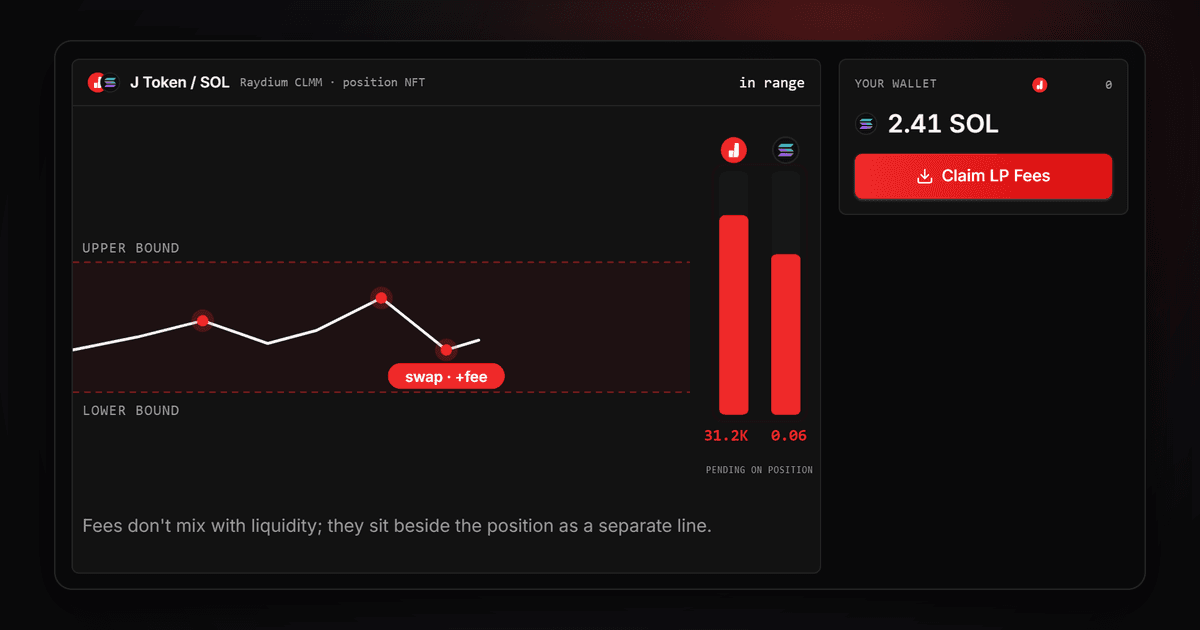
Where do LP fees go, shown in the LP Fee Claim explainer panel: a J Token / SOL Raydium CLMM position in range with 31.2K J Token and 0.06 SOL pending
Guides·9 min read
Where Do LP Fees Go? Pools vs Concentrated Liquidity
Five Solana DEX venues compared in one editorial scene: Jupiter routing lines linking Raydium, Orca, Meteora and PumpSwap pools, red and amber on near-black
Guides·10 min read
Jupiter vs Raydium vs Orca: Which Solana DEX to Use
Two streams of viscous liquid meeting at a precision balance scale, representing equilibrium between paired assets in a liquidity pool
Guides·16 min read
What Is a Liquidity Pool? Solana LP, Depth and Impermanent Loss