J Tools
All Tools
Token Creator
Token-2022 Creator
Token Clone
Vanity Token (Custom CA)
Pump.fun Create & Bundle Buy
Pump.fun Create
Create LP
Liquidity Add / Remove
My Pools
Update Metadata
Token Mint
Token Burner
Revoke Mint
Revoke Freeze
Revoke Update Authority
Make Immutable
Freeze Account
Unfreeze Account
Swap
Multi Swap
Bundled Trade
Holder Booster
Wallet Generator
Vanity Wallet Generator
Multi Sender
Many to Many
Batch Collector
Relay Transfer
Multi To Multi Relay
Holder Snapshot
WSOL Wrapper
Close Account
Wallet Scope
J Map
Devnet Faucet
AffiliateContact
J Tools
All Tools
Token Creator
Token-2022 Creator
Token Clone
Vanity Token (Custom CA)
Pump.fun Create & Bundle Buy
Pump.fun Create
Create LP
Liquidity Add / Remove
My Pools
Update Metadata
Token Mint
Token Burner
Revoke Mint
Revoke Freeze
Revoke Update Authority
Make Immutable
Freeze Account
Unfreeze Account
Swap
Multi Swap
Bundled Trade
Holder Booster
Wallet Generator
Vanity Wallet Generator
Multi Sender
Many to Many
Batch Collector
Relay Transfer
Multi To Multi Relay
Holder Snapshot
WSOL Wrapper
Close Account
Wallet Scope
J Map
Devnet Faucet
AffiliateContact
M
J Tools

Professional Solana toolkit — token creation, trading, liquidity, and more in one workspace.

Tools

  • Token Creator
  • Pump.fun Create
  • Create LP
  • Swap
  • Multi Sender
  • Wallet Generator
  • All tools →

Resources

  • Documentation
  • Blog
  • Affiliate program
  • Partner with us

Legal

  • About
  • Contact
  • Privacy
  • Terms
  • Cookie policy

Tool Directory

Launch a Token

  • Token Creator
  • Token-2022 Creator
  • Token Clone
  • Vanity Token (Custom CA)
  • Pump.fun Create & Bundle Buy
  • Pump.fun Create

Liquidity Management

  • Create LP
  • Liquidity Add / Remove
  • My Pools

Token Management

  • Update Metadata
  • Token Mint
  • Token Burner
  • Revoke Mint
  • Revoke Freeze
  • Revoke Update Authority
  • Make Immutable
  • Freeze Account
  • Unfreeze Account

Trade & Bundle

  • Swap
  • Multi Swap
  • Bundled Trade

Boost & Market

  • Holder Booster

Wallets & Transfers

  • Wallet Generator
  • Vanity Wallet Generator
  • Multi Sender
  • Many to Many
  • Batch Collector
  • Relay Transfer
  • Multi To Multi Relay

Utilities

  • Holder Snapshot
  • WSOL Wrapper
  • Close Account
  • Wallet Scope
  • J Map
  • Devnet Faucet

Language

  • English
  • Türkçe
  • Español
  • Tiếng Việt
  • العربية
  • Deutsch
  • Bahasa Indonesia
  • Русский
  • 繁體中文(香港)
  • 简体中文
  • Français
  • 日本語
  • Português
  • Italiano
  • ไทย
  • فارسی
  • 한국어

© 2026 J Tools. All rights reserved.

Not financial advice. Use at your own risk.

J Map

FREE

Map the top holders of any Solana token as linked clusters. Free, no wallet connection needed.

Trending

Jupiter data · 60s cache

Demo
Paste a token or pick a trending one to map real holders
About This Tool

What It Does

Paste a Solana token address and the map draws its top holders as circles, sized by share of supply. Wallets connected by transfers or funding get the same color, so coordinated groups stand out at a glance. The creator wallet is marked in red.

How It Works

The scan reads the holder list over RPC, then runs a transfer-link pass across those wallets. Linked wallets are grouped into clusters and drawn close together. Pick a token from the trending rail or paste a mint address, no wallet connection involved.

Why Use It

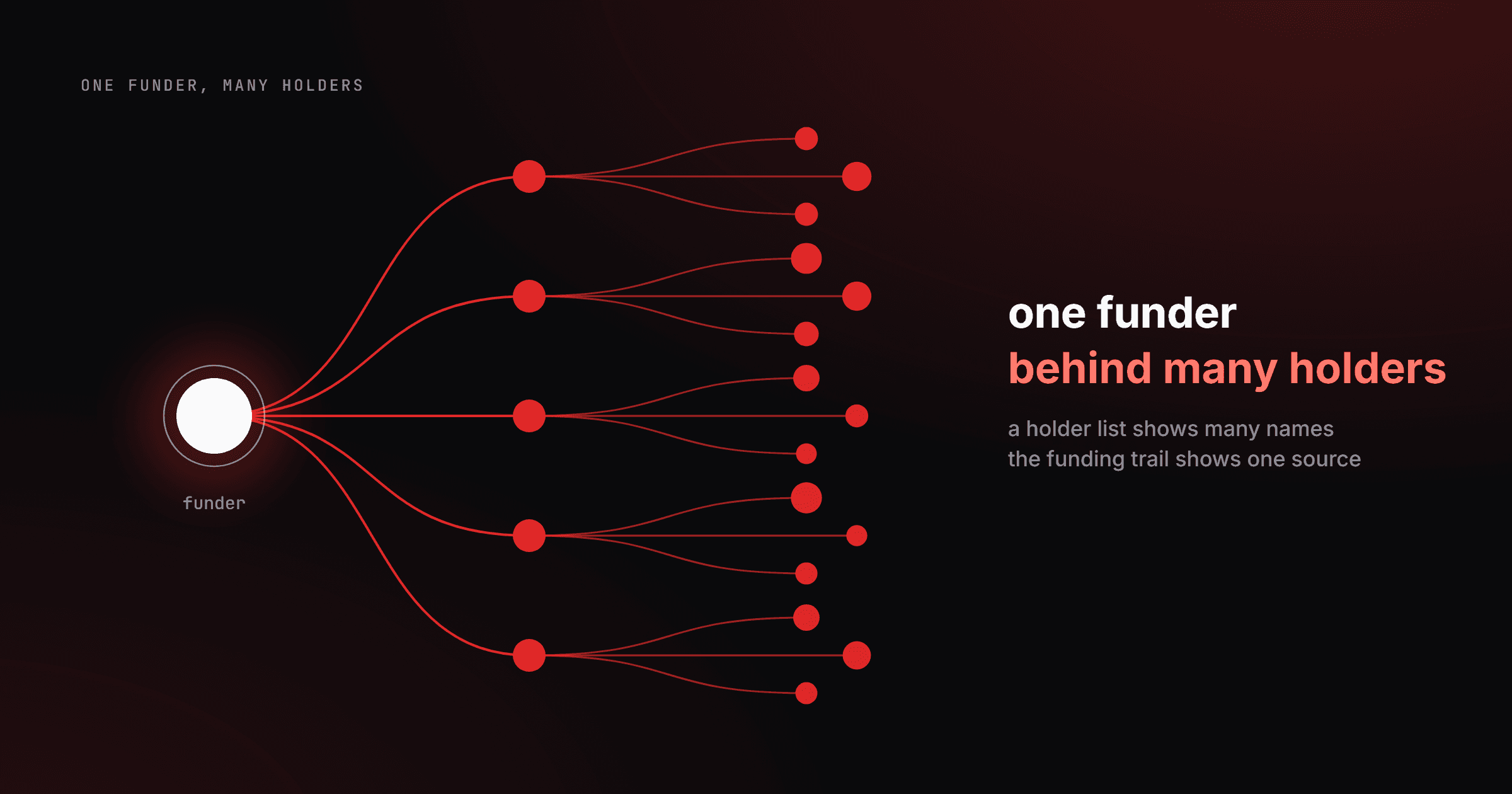
A holder list tells you who holds the token. A cluster map tells you which of those holders are the same person. When one entity splits its bag across twenty wallets, the list looks healthy and the map does not.

Read a Token's Clusters in 3 Steps

  1. 1

    Pick a Token

    Paste a mint address, or open the trending rail and click one of the movers. The scan starts on its own and covers the top holders you selected, up to 500.

  2. 2

    Read the Clusters

    Same color means linked wallets: they funded each other or moved tokens between them. The red DEV marker follows the creator's flow. One big single-color block near the top is the signal to look closer.

  3. 3

    Share the View

    The token stays in the URL, so copying the address bar is enough to send the exact map to someone else. Rescan pulls fresh on-chain data whenever you need the current state.

What Is a Token Cluster Map?

A cluster map takes a token's holder list and adds the missing dimension: which wallets are connected. The scan reads top holders over on-chain RPC, then checks transfers and funding paths between them. Wallets that share history get grouped, and each group's combined supply share is what actually matters for concentration. Ten unrelated wallets holding 2% each is a distribution. Ten linked wallets holding 2% each is one holder with 20%. The map exists to make that difference visible in seconds.

What You Get

  • Cluster detection: wallets linked by transfers or funding are grouped and colored together
  • Dev flow tracking: the creator wallet is marked in red and its outgoing flow is traced
  • Collector signals: wallets quietly accumulating from many sources get flagged
  • Depth up to Top 500: you choose how many top holders the scan covers
  • Shareable views: the token rides in the URL, so any map can be sent as a link
  • Free, no wallet: nothing to connect, nothing to sign, no account

What to Do Next

Holder Snapshot

Full holder table with balances, ages, labels, and Excel export

Wallet Scope

Deep-dive a single wallet from the map: history, funding, PnL

Token Creator

Launch your own SPL token with metadata and authority controls

Multi Sender

Airdrop to many wallets in one batched run

Map a Token Now

Paste a mint address or grab one from the trending rail and watch the holder base resolve into clusters. It's free, runs without a wallet, and the URL carries the view for sharing.

Frequently Asked Questions

J Map guideHow it works, step-by-step usage, and FAQs.Learn more

You might like

Blog posts around this tool
Editorial cover for a Solana token creator comparison, five platform panels lit in red and amber against near-black, one panel highlighted for j.tools.
Guides·13 min read
Best Solana Token Creator Tools Compared (2026)