Wallet Scope
Analyze wallets one by one or in bulk: balances, tokens, trades and PnL. See how they link up on the J Map.
 SOLUSDC
| Wallet | SOL | USD | Age | PnL | Win |
|---|---|---|---|---|---|
| 7xKf…h2aQ | 18.2 | $2,740 | 268d | +$412 | 62% |
| 9aZp…m4Ln | 0.04 | $61.00 | 2d | −$88 | 17% |
| Fa4t…8kRc | 12.6 | $2,130 | 1y+ established | +$88 | 71% |
| Kp4x…1vQ2 | 44.0 | $6,600 | 210d | +$210 | 55% |
About this tool
How Wallet Scope works
Load the wallets
Paste addresses one per line, drop a .txt, .csv or .json file on Import, or open Holders and pull a token's top 100 holders straight in. Messy text is fine: valid addresses get extracted and duplicates dropped.
What Wallet Scope does
What it does
Paste up to 500 Solana addresses and get one sortable table: SOL balance, USD value, up to three token columns you pick, plus each wallet's age and on-chain label. Deep analysis adds 30-day PnL, win rate and trade count.
How it works
Balances come straight from on-chain RPC, read in chunks and streamed into the table as they land. A second pass finds the address that first funded each wallet, and that funding link is what groups wallets into clusters.
Why use it
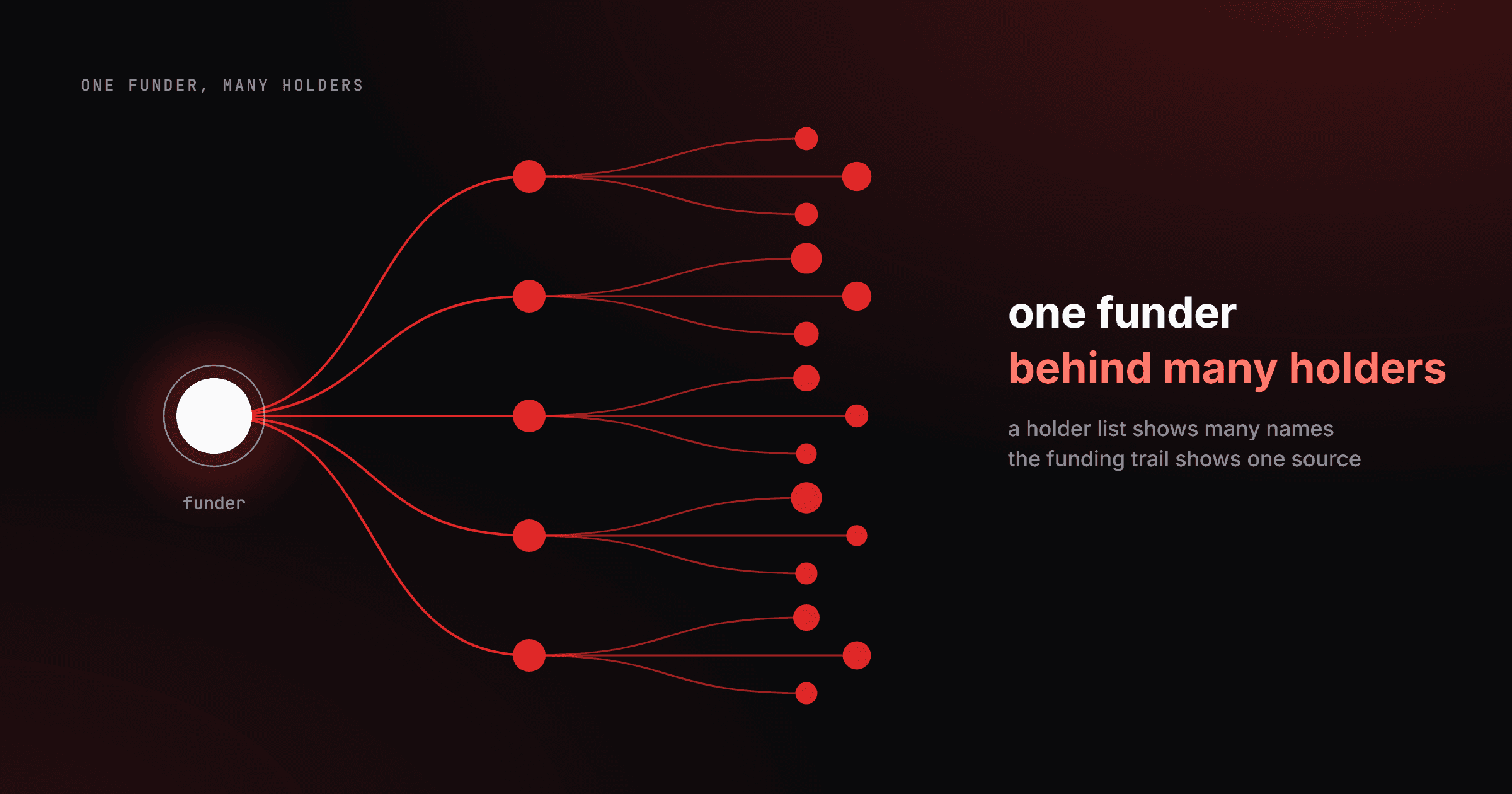
Opening 200 wallets one by one in an explorer is an afternoon of tabs. Here it is one paste, one table, one Excel file. The funding graph on top answers what a balance list never can: which of these wallets are the same person.
Key features
- Up to 500 wallets per scan: paste a list, drop a .txt, .csv or .json file, or pull a token's top 100 holders
- Tokens as columns: SOL is always tracked, USDC comes preloaded, and three token columns run at once with per-wallet amount and USD value
- Free balance layer: balances, holdings, wallet age and the last 15 swaps cost nothing and need no wallet connection
- On-chain labels: program, token, burn, LP pool and exchange wallets are tagged, and anything under 30 days shows as new
- Cluster detection from real funding: wallets seeded by the same private wallet group together, exchange withdrawals stay separate
- Deep analysis for PnL: 30-day realized and unrealized profit, win rate and trade count, with five free lookups a day per wallet
- Cohorts, Excel and share links: save a wallet set, rescan it for a what-changed diff, export a multi-sheet .xlsx or send a link
How to scan a wallet list in 3 steps
- 1
Load the wallets
Paste addresses one per line, drop a .txt, .csv or .json file on Import, or open Holders and pull a token's top 100 holders straight in. Messy text is fine: valid addresses get extracted and duplicates dropped.
- 2
Run the free scan
SOL is always tracked, USDC arrives as the first token column, and you get three token columns in total. Hit Free analysis and rows stream in as each batch resolves. Sort any column, or narrow the list with the Funded, Fresh and CEX chips.
- 3
Go deeper, then take it with you
Click a row for its top holdings and the last 15 swaps. Run Deep analysis on the wallets worth the credits for PnL and win rate. Export a styled Excel workbook, copy a share link, or switch to Clusters to see who funded whom.
What is a bulk Solana wallet analyzer?
A bulk wallet analyzer answers something a single-wallet explorer cannot: how a whole set of addresses behaves together. Wallet Scope reads balances for up to 500 wallets in one pass, lines them up in the same units, and gives the tokens you pick their own columns. Then it adds the layer explorers skip: for every wallet it finds the address that sent its first SOL, and wallets seeded by the same private wallet are grouped into a cluster. Known exchange and bridge hot wallets stay in a separate bucket, since thousands of unrelated people withdraw from the same address. Twenty wallets holding 1% each looks like healthy distribution, right up until one funder turns out to be behind eighteen of them.
Frequently asked questions
Scan your first list
Paste a few addresses or a whole holder list and hit Free analysis. Balances, ages, labels and clusters come back without connecting a wallet, and that layer costs nothing.
What to do after
You might like
Blog posts around this tool